
Looking to increase your website’s visibility on Google and attract highly targeted traffic? It all starts with On-Page SEO—the backbone of every successful SEO strategy. Whether you're a beginner or a seasoned marketer, understanding the key elements of on-page SEO is critical to ranking higher and converting more visitors.
In this blog, we’ll cover all the essential on-page SEO topics you need to master to ensure your web pages are optimized for both search engines and users.
What Exactly Is On-Page SEO?
On-Page SEO (also known as on-site SEO) refers to the practice of optimizing individual web pages to improve their search engine rankings and organic traffic. It centers on controllable factors like content, HTML layout, and metadata to make your site more SEO-friendly.
Why should you care about On-page SEO?
On-page SEO is essential because it helps search engines understand your website content and evaluate its relevance to user intent. Without proper page optimization, even high-quality content may fail to achieve strong search rankings.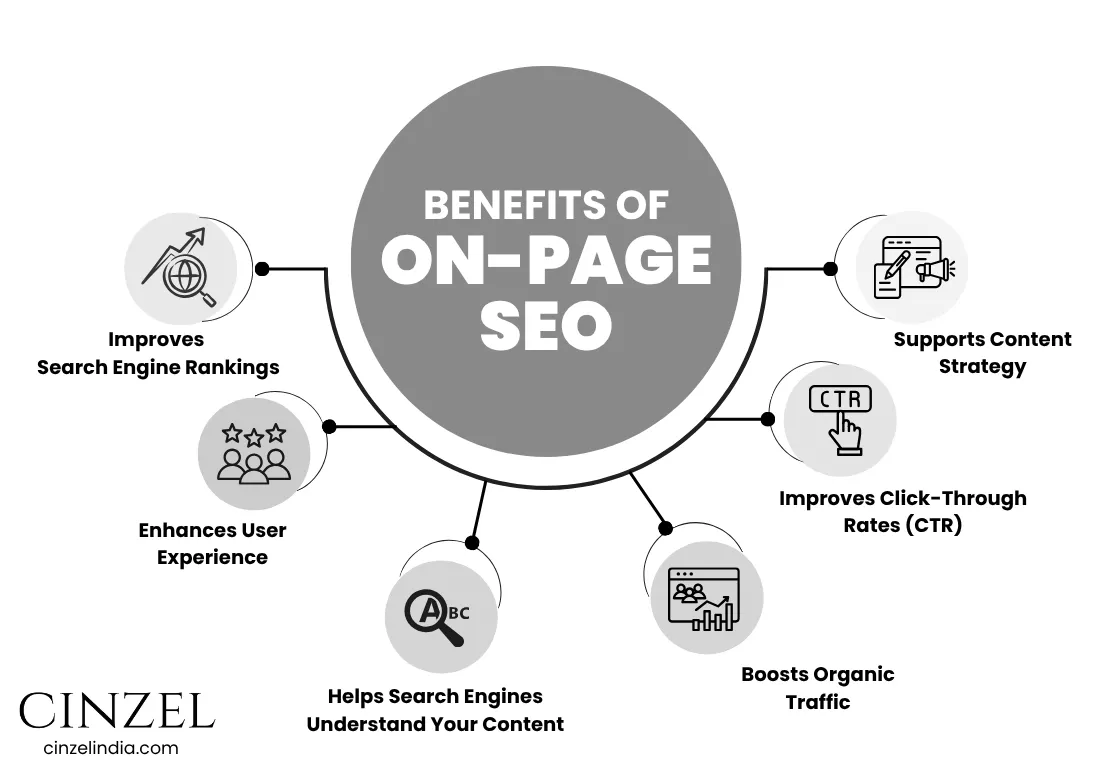
1. Improves Search Engine Rankings
Search engines like Google use on-page elements (e.g., keywords, headings, and content) to rank pages.
A well-optimized page is more likely to appear on the first page of search results, increasing visibility.
2. Enhances User Experience
On-page SEO focuses on readability, mobile-friendliness, and site speed, which all lead to better user satisfaction.
Satisfied users stay longer on your site and are more likely to take action.
3. Helps Search Engines Understand Your Content
Optimizing titles, headings, URLs, and schema markup allows search engines to accurately index and interpret your content.
This ensures your pages rank for the right keywords and topics.
4. Boosts Organic Traffic
Higher rankings = More visibility = More clicks.
Quality on-page SEO brings in targeted, high-intent visitors without paid ads.
5. Improves Click-Through Rates (CTR)
Optimized titles and descriptions drive higher click-through rates in search.
This sends positive signals to Google and can further improve your rankings.
6. Supports Content Strategy
Aligns each page with the right search intent to better meet user needs.
Organizes your site’s content into a clear hierarchy, improving navigation and SEO structure.
Unlocking the Layers: Types of On-Page SEO You Must Know
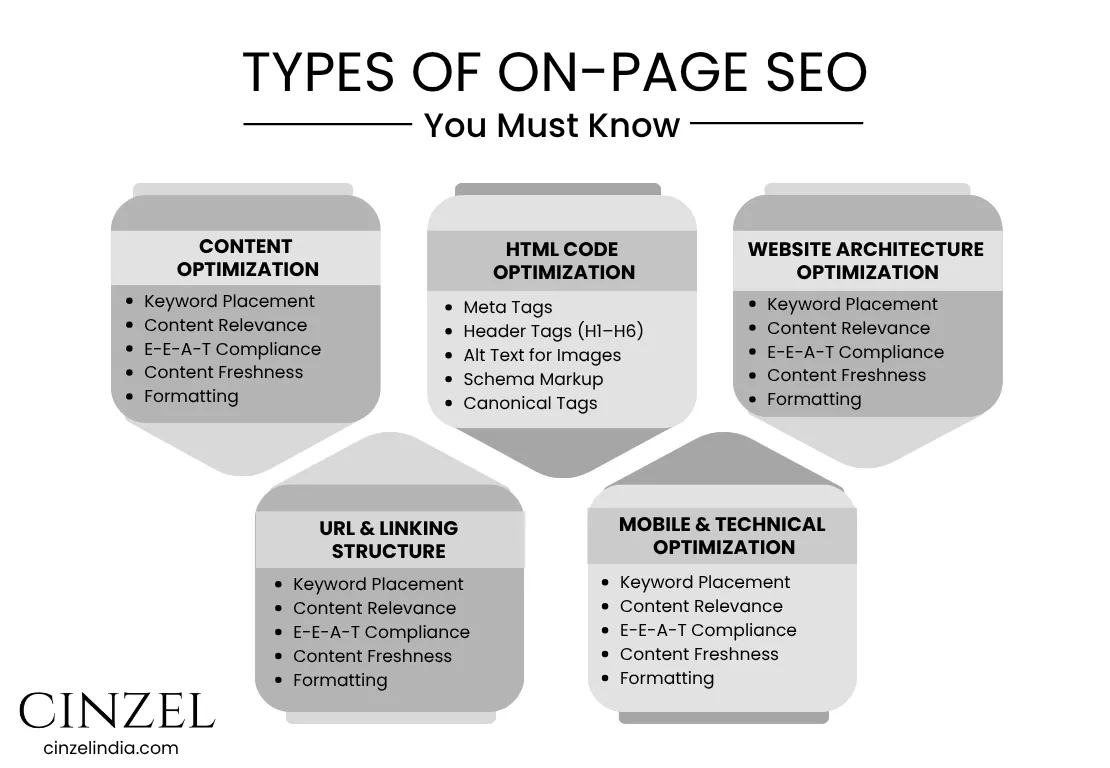
1. Content Optimization
It’s all about creating content that matters—to your audience and to Google.
-
- Keyword Placement: Use keywords naturally in the title, headings, and content body without stuffing.
- Content Relevance: Ensure content satisfies user intent and includes useful, engaging information.
- E-E-A-T Compliance: Highlight experience, expertise, authoritativeness, and trustworthiness—especially for YMYL topics.
- Content Freshness: Regularly update content to keep it accurate and relevant.
- Formatting: Use headings, bullet points, images, and videos to improve readability and engagement.
2. HTML Code Optimization
This involves optimizing the backend HTML elements that search engines use to understand your page structure and content relevance.
-
- Meta Tags: Write clear, keyword-rich meta titles and descriptions to improve visibility and click-through rates.
- Header Tags (H1–H6): Use proper heading structure to organize content and signal importance to search engines.
- Alt Text for Images: Add descriptive alt text to all images to improve both SEO and accessibility.
- Schema Markup: Use structured data (like FAQs, reviews, etc.) to enhance search results with rich snippets.
- Canonical Tags: Use canonical tags to indicate the preferred version of a page and avoid duplicate content issues.
3. Website Architecture Optimization
This ensures your website is technically sound, well-structured, and easy to crawl by search engines.
-
- URL Structure: Create clean, keyword-rich URLs that are easy to read and reflect your site’s structure.
- Mobile-Friendliness & Page Speed: Your website must be responsive and fast-loading to provide a good user experience on all devices
4. URL & Linking Structure
A well-structured linking system improves user navigation and SEO.
-
- SEO-Friendly URLs: Keep them short, descriptive, and keyword-rich.
- Internal Linking: Connect relevant pages to guide users and distribute SEO value.
- External Linking: Link to trustworthy sources to add value and credibility.
- Breadcrumbs : Help users navigate and boost SEO with breadcrumb links
5. Mobile & Technical Optimization
Ensure your website is fast, mobile-responsive, and technically optimized for both users and search engines.
-
- Mobile-Friendliness: Your site should adapt smoothly to all screen sizes.
- Page Speed Optimisation: Improve load times by compressing images, enabling caching, and minimizing scripts.
- Core Web Vitals: Focus on loading performance, interactivity, and visual stability.
- Structured Data (Schema Markup): Implement schema to help search engines accurately interpret and highlight your content in search results.
How Does On-Page SEO Affect Google Rankings?
1. Helps Google Understand Your Content
On-page SEO uses elements like keywords, title tags, meta descriptions, headers, and structured data to clearly communicate your page’s purpose to Google.
When these elements are properly optimized, Google can accurately index and rank your page for relevant search queries.
2. Boosts Relevance for Target Keywords
Keyword optimization ensures your page aligns with what users are searching for.
Google prioritizes pages that naturally and strategically use keywords in the content, headings, and metadata.
3. Improves crawlability & Indexing
A well-structured website with clear internal linking and clean URLs helps Google bots crawl and index pages more efficiently.
This ensures your pages are discovered, updated and included in search results.
4. Enhances User Engagement Signals
Google considers user behavior metrics like bounce rate, time on site, and click-through rate.
On-page SEO improves content readability, page speed, and mobile responsiveness, encouraging users to stay longer—sending positive signals to Google.
5. Ensures Technical Compliance
Google favors websites that are secure (HTTPS), mobile-friendly and fast.
These technical on-page factors contribute to overall ranking signals and can give you an edge over competitors.
Do You Need Technical Skills to Do On-Page SEO?
You don’t need advanced technical skills to do on-page SEO, but having some basic knowledge can make the process more effective. Most tasks like optimizing content, using keywords strategically, adding meta titles and meta descriptions, formatting with header tags, and inserting internal links can easily be done through user-friendly content management systems like WordPress, especially with SEO plugins such as Yoast or Rank Math. These tools guide you step-by-step, even if you're a beginner.
However, understanding a few technical aspects—like how HTML tags work, how to structure clean URLs, or how to optimize site speed and mobile responsiveness—can significantly improve your results.
So, while coding skills aren’t mandatory, having a basic grasp of website structure and SEO tools is a valuable asset.
How long does it take to see results from on- page seo?
The results from on-page SEO are not instant, but with consistent effort, you can typically start seeing noticeable improvements within 4 to 12 weeks. The exact timeline depends on several factors, such as your website’s current authority, the level of competition in your niche, and how effectively you've implemented SEO practices like content optimization, keyword targeting and technical enhancements. Search engines like Google take time to crawl and index your updated pages. If you’re regularly publishing high-quality content, optimizing for user experience, and following best practices in on-page SEO, your rankings can gradually improve
However, more competitive keywords and industries may require a longer time—sometimes several months—to achieve significant movement in search engine results pages (SERPs).
What Are the Must-Have On-Page SEO Elements in 2025?
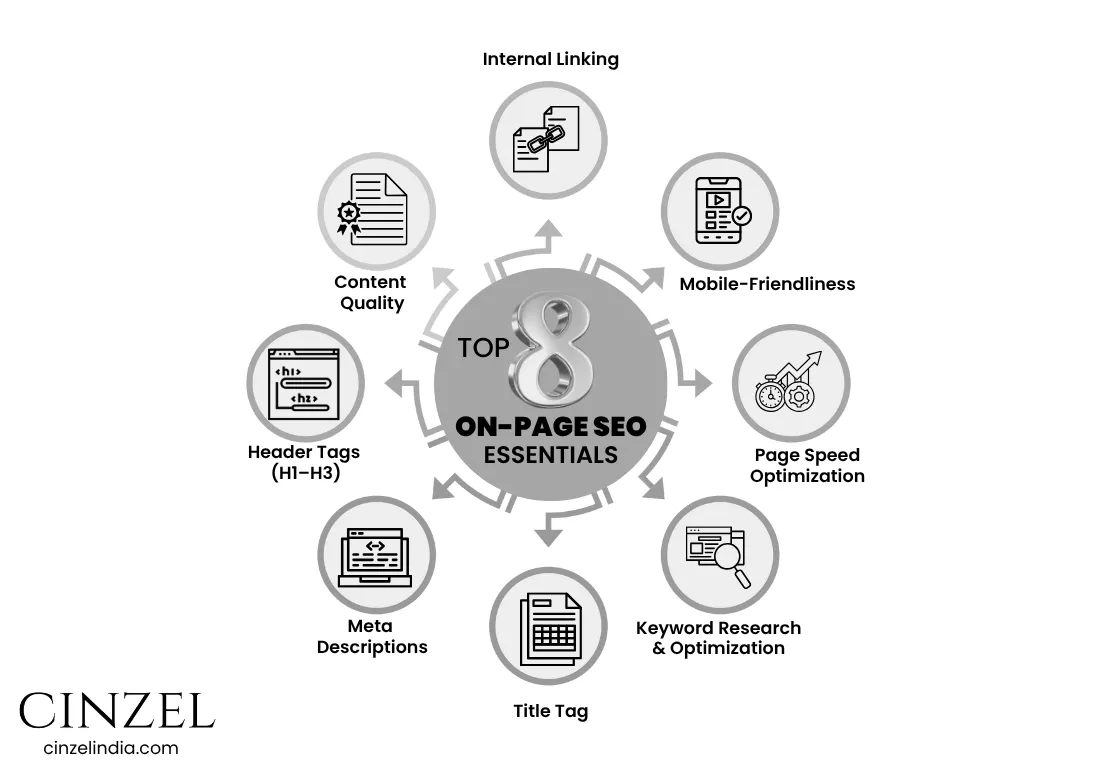
1. Content Quality
High-quality content is the cornerstone of On-Page SEO. It should provide valuable, original, and relevant information that satisfies user intent.
-
-
Make it engaging, informative, and well-structured
-
Use updated facts, statistics, and actionable insights
-
Aim for content depth—don’t just scratch the surface
-
2. Keyword Research & Optimization
Before you even start writing, you need to:
-
-
Perform keyword research using tools like Google Keyword Planner, Ubersuggest, or Ahrefs to identify high-value, relevant search terms that align with your content and audience intent.
-
Target low-competition, high-search-volume keywords
-
Match user intent (informational, transactional, etc.)
-
Once selected:
-
Incorporate primary and semantic keywords naturally into headings, body content, meta tags, and image alt text
-
Avoid keyword stuffing
-
3. Title Tags
The title tag serves as your content’s first impression in search engine results—it's crucial for both click-through rates and SEO rankings.
-
-
Keep it under 60 characters
-
Include primary keywords toward the beginning
- Make it compelling and click-worthy
-
4. Meta Descriptions
The title tag serves as your content’s first impression in search engine results—it's crucial for both click-through rates and SEO rankings.
-
-
Limit to 155–160 characters
-
Use your main keyword and a strong CTA
-
Although not a direct ranking factor, it impacts CTR
-
5. Header Tags (H1–H6)
Organize content with headers for better readability and SEO:
-
-
Use H1 for the main title
-
Break content using H2, H3 (and so on)
-
Include relevant keywords in subheadings
-
6. URL Structure
A clean URL enhances both user trust and SEO.
-
-
Keep it short, descriptive, and keyword-rich
-
Use hyphens (-) instead of underscores
-
Example: yourdomain.com/on-page-seo-guide
7. Internal & External Linking
A strong linking strategy helps both users and search engines.
-
-
Internal Links: Guide users to related pages; spread link equity
E.g., "Learn more about technical SEO →"
-
-
-
External Links: Reference authoritative, trusted sources
-
8. Image Optimization
Images must be search- and user-friendly.
-
-
Use descriptive filenames (e.g., seo-checklist-2025.png)
-
Add alt text with keywords
-
Compress images to reduce page load time
-
9. Mobile-Friendliness
With Google’s mobile-first indexing, your site must:
-
-
Be fully responsive on all screen sizes
-
Use readable fonts, accessible buttons, and optimized layouts
-
Test with Google’s Mobile-Friendly Test Tool
-
10. Page Speed Optimization
A slow-loading website negatively impacts both your search engine rankings and the user experience, leading to higher bounce rates and lower engagement.
-
-
Compress images and files
-
Use browser caching, minify code, and implement a CDN
-
Test speed using Google PageSpeed Insights or GTmetrix
-
11. User Experience (UX)
SEO is not just about bots—it’s about humans too.
-
-
Use clear navigation, readable fonts, and logical page hierarchy
-
Include CTAs, bullets, spacing, and visuals for easier scanning
-
A good UX improves engagement metrics (bounce rate, time on site)
12. Structured Data (Schema Markup)
Structured data helps Google understand your content better.
-
-
Add schema.org markup using JSON-LD format
-
Supports rich results like star ratings, FAQs, recipes, etc.
-
Use Google’s Rich Results Test to validate
-
13. Canonical Tags & Duplicate Content
If your site contains duplicate or similar pages, implement canonical tags to:
-
-
Signal the preferred version to search engines
-
Avoid diluting your SEO performance
-
Help Google consolidate ranking signals
-
14. Content Freshness
Update content regularly to stay relevant and competitive.
-
-
Refresh old blog posts with new info
-
Add updated stats or examples
-
Search engines reward current content
-
15. User Engagement Signals
Google measures user behavior like:
-
-
Bounce rate
-
Dwell time
-
Pages per session
-
Improve these by making content more engaging, adding internal links, and reducing annoyances like pop-ups or slow loading
How Crucial Is User Experience (UX) for On-Page SEO Success?
User Experience (UX) is extremely important in On-Page SEO because Google’s ranking algorithms are increasingly focused on how users interact with a page. Here's why UX matters:
-
Improves Engagement Metrics
When a website is easy to navigate, loads quickly, and provides clear, valuable content, users stay longer and explore more. This reduces bounce rate and increases dwell time—two positive behavioral signals for SEO. -
Aligns with Google’s Core Web Vitals
Google now uses Core Web Vitals (like loading speed, interactivity, and visual stability) as ranking factors. A smooth, responsive, and frustration-free experience directly contributes to higher search rankings.
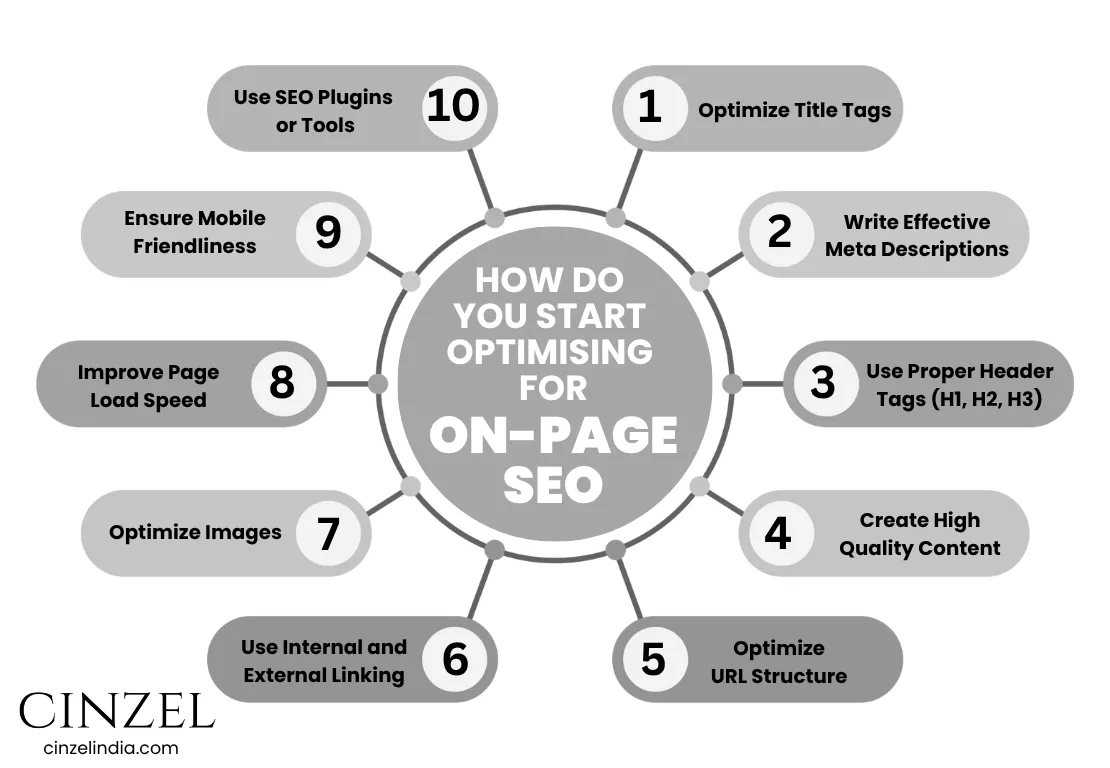
How Do You Start Optimising for On-Page SEO?
-
Optimize Title Tags
– Include your primary keyword.
– Keep it under 60 characters and make it compelling.
-
Write Effective Meta Descriptions
– Summarize the content in 150–160 characters.
– Include target keywords and a call to action.
-
Use Proper Header Tags (H1, H2, H3)
– Use one H1 tag for the main title.
– Structure your content using H2 and H3 for subheadings.
-
Create High-Quality Content
– Focus on original, valuable, and user-friendly content.
– Naturally include keywords and related (LSI) keywords.
-
Optimize URL Structure
– Keep URLs short, descriptive, and keyword-rich.
– Avoid unnecessary parameters or numbers.
-
Use Internal and External Linking
– Link to relevant internal pages to keep users on-site.
– Add outbound links to trustworthy, authoritative sources.
-
Optimize Images
– Use descriptive file names and alt text with keywords.
– Compress images for faster load times.
-
Improve Page Load Speed
– Minify CSS/JS, use caching, and optimize hosting.
– Use tools like Google PageSpeed Insights or GTmetrix.
-
Ensure Mobile-Friendliness
– Use a responsive design that adapts to all screen sizes.
– Test with Google’s Mobile-Friendly Test tool.
-
Enhance User Experience (UX)
– Keep navigation clear and content easy to digest.
– Reduce bounce rates by meeting user expectations.
-
Use SEO Plugins or Tools
– Tools like Yoast, Rank Math, or All in One SEO can guide optimization.
– Regularly audit your pages with Google Search Console
Does Mobile Optimization Really Matter?
Yes, mobile optimization absolutely matters in on-page SEO. Here's why:
-
Google Uses Mobile-First Indexing
Google now primarily indexes and ranks websites based on their mobile version, not the desktop version. If your site isn’t optimized for mobile, you risk lower rankings—even if your desktop site performs well. -
Most Users Browse on Mobile Devices
With over 60% of global web traffic coming from mobile devices, a mobile-friendly design ensures a better user experience—faster loading, easier navigation, and higher engagement, all of which support better SEO performance.
Does Page Speed Still Matter for Rankings?
Yes, page speed is a direct ranking factor used by Google. A slow-loading website frustrates users and increases bounce rate, which can negatively impact your SEO.
Google’s Core Web Vitals measure key speed metrics like Largest Contentful Paint (LCP) and First Input Delay (FID), directly affecting rankings.
How Do You Optimize Images for On-Page SEO?
Compress and resize images to reduce load times without sacrificing quality.
-
Use formats like WebP or compressed JPEG/PNG.
- Use descriptive filenames and alt text with keywords. Alt text improves accessibility and helps search engines understand image context.
How Do You Choose and Place Keywords?
Choose keywords based on relevance, search intent, volume, and competition using tools like Google Keyword Planner, Ahrefs, or SEMrush.
Place them naturally in title tags, meta descriptions, headers (H1–H3), URL, first 100 words, and image alt texts. Avoid keyword stuffing.
How Do You Check If Your On-Page SEO Is Working?
Use tools like Google Search Console, Google Analytics, and SEO auditing tools (e.g., Screaming Frog, Ahrefs, Semrush) to track:
- Organic traffic growth
- Keyword rankings
- Bounce rates and user behavior
- Crawl and indexing issues
What Are Common On-Page SEO Mistakes to Avoid?
Even with the best intentions, certain on-page SEO errors can hold your site back. Here are the most common pitfalls to steer clear of:
-
Keyword stuffing or using irrelevant keywords – Overusing or misplacing keywords can lead to penalties and poor user experience.
-
Missing or duplicate title tags and meta descriptions – These are critical for click-through rates and clarity in search results. Always ensure each page has unique and optimized tags.
-
Poor URL structure – Long, unclear, or non-keyword-friendly URLs can confuse both users and search engines.
-
Not optimizing images – Missing alt text, large file sizes, or irrelevant image names can slow down your site and reduce accessibility.
-
Ignoring mobile responsiveness – With mobile-first indexing, failing to optimize for smaller screens can cost you rankings.
-
Thin or duplicate content – Content that adds no real value or is copied from elsewhere harms your authority and ranking.
-
Lack of internal linking – Not linking to related internal pages can weaken site structure and reduce crawlability.
Regular SEO audits can help you identify and fix these issues before they impact your traffic or rankings.
How Often Should You Update Your On-Page SEO?
Regularly—at least once every 3 to 6 months.
Update based on:
- Changes in search trends or algorithms
- Content freshness
- Performance analytics (CTR, rankings, bounce rate)
Keep high-performing content updated to maintain rankings.
Is On-Page SEO Enough to Rank a Website?
On-page SEO is essential, but not enough on its own.
While it builds a strong foundation by optimizing content, structure, and user experience, off-page SEO (like backlinks, brand mentions, and domain authority) and technical SEO also play major roles in ranking success.
What Tools Can Help With On-Page SEO?
-
Google Search Console – Monitor site performance, crawl issues, and keyword rankings.
-
Google Analytics – Track user behavior, bounce rate, and conversion metrics.
-
Yoast SEO (for WordPress) – On-page SEO analysis, readability checks, and meta tag optimization.
-
Ahrefs – Page audits, keyword data, content gap analysis, and backlink tracking.
-
SEMrush – Comprehensive SEO toolkit with on-page audit, keyword tools, and position tracking.
-
Screaming Frog SEO Spider – Technical on-page audit tool to find issues like broken links, duplicate content, and missing meta tags.
-
Rank Math – SEO plugin for WordPress with keyword suggestions and schema support.
-
PageSpeed Insights / GTmetrix – Use these tools to analyze your website’s load time and Core Web Vitals, and identify opportunities to enhance overall performance.
-
Ubersuggest – Simplified keyword research and content optimization tool by Neil Patel.
Quick On-Page SEO Checklist for 2025
Use this checklist to make sure your on-page SEO is up to date:
- Use a target keyword in the title tag (under 60 characters).
- Write a compelling meta description with keywords (under 160 characters)
- Use short, clean URLs with keywords (e.g., yoursite.com/on-page-seo-guide).
- Include H1 tag with the primary keyword.
- Structure content with H2/H3 subheadings for readability.
- Add internal links to relevant pages and posts.
- Use LSI keywords and semantic phrases throughout the content.
- Optimize images with descriptive file names and alt text.
- Ensure mobile-friendliness (responsive design).
- Improve page load speed (compress files, enable caching)
- Add schema markup for rich snippets (FAQ, reviews, product info).
- Use social sharing buttons and a clear CTA (call to action).
- Ensure content is valuable, unique, and user-focused.
- Monitor performance using SEO tools and update regularly.
Final Thoughts: Why On-Page SEO Deserves Your AttentionMastering On-Page SEO isn’t just about placing keywords or writing meta tags—it’s about building a well-structured, user-focused, and technically sound webpage that both search engines and real people appreciate.
From crafting valuable, fresh content and using clear header structures to optimizing image alt text, implementing canonical tags, and enhancing pages with schema markup—every detail matters. Don’t overlook E-E-A-T, Core Web Vitals, or content freshness; they’re essential for long-term success.
Stay updated, audit regularly, and ensure your HTML elements and content work together seamlessly.
Whether you're starting from scratch or updating existing pages, use this guide as your complete blueprint for On-Page SEO success in 2025 and beyond.
Start optimizing your pages today!
