
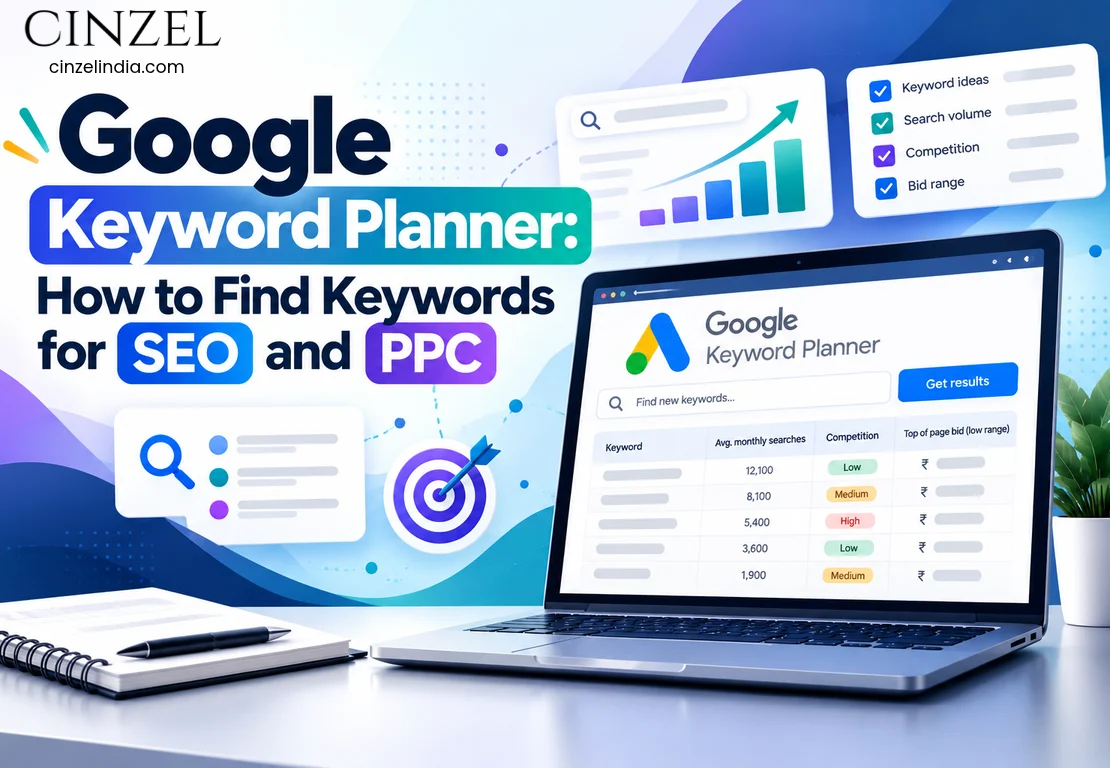
Most underperforming campaigns share one root problem: the keywords were chosen by guesswork. A business publishes pages around terms it likes, or bids on phrases that sound right, and later discovers that customers search in a completely different way.
Google Keyword Planner takes much of that guesswork out of the process. It is a free tool inside Google Ads that shows what people search for, how often they search, and roughly what advertisers pay to appear for those searches.
In this guide, you will learn how it works, how to read its data, and 15 proven ways to turn keyword insights into leads. The advice applies whether you run a coaching institute in Noida, a showroom in Delhi NCR, or an online store serving all of India. And if you are shortlisting the best digital marketing agency in Noida to manage your campaigns, understanding this data will help you judge their plans with confidence.
What Is Google Keyword Planner? (Quick Answer)
Google Keyword Planner is a free keyword research feature inside Google Ads. It helps you discover new keywords, see average monthly searches, compare competition levels, view estimated bid ranges, and forecast likely performance. Marketers use it to plan both organic content and paid campaigns.
- Cost: Free with a Google Ads account. You can use it without running campaigns, though volume data may appear as broad ranges until your account has ad spend.
- Main features: “Discover new keywords” and “Get search volume and forecasts.”
- Key metrics: Average monthly searches, competition, top-of-page bid range, and trend change over time.
- Best for: Finding commercial keywords, building ad groups, and estimating paid search potential.
The Google Keyword Planner tool suits freelancers, in-house teams, and agencies alike, especially when you need to compare many keyword ideas quickly and decide which ones deserve budget or content.
Why Keyword Research Matters for SEO and PPC
Keywords connect what customers want with what your business offers. Choose well and your pages, ads, and budgets work harder. Choose poorly and you attract visitors who never enquire.
How It Helps SEO
Effective keyword research for SEO shows which topics have real demand, which phrases signal buying intent, and where competitors have left gaps. Keyword Planner contributes related ideas and demand trends that shape service pages, blog topics, and internal linking. Its figures come from advertising data, so treat them as directional rather than exact.
How It Helps PPC
Keyword research for Google Ads is where the tool is strongest. Because the data comes from Google’s ad platform, it includes bid ranges and forecasts you can use to set budgets before launching. Strong Google Ads keyword research also helps you group terms into tight ad groups and avoid paying for irrelevant clicks.
How to Use Google Keyword Planner Step by Step
If you are wondering how to do keyword research with this tool, follow these steps. This Google Keyword Planner tutorial assumes you are starting from scratch.
- Sign in to Google Ads. Use your Google account and create a Google Ads account if you do not have one. If Google pushes you toward launching a campaign, look for the option to skip campaign creation or switch to Expert Mode.
- Open the tool. Go to Tools, then Planning, then Keyword Planner.
- Choose a starting point. Select “Discover new keywords,” then enter two to five seed keywords or paste your own or a competitor’s page URL.
- Set your targeting. Pick a location (Noida, Delhi NCR, or all of India), a language, and a date range. Local targeting matters because search behaviour differs from city to city.
- Review the results. Check average monthly searches, competition, and top-of-page bid ranges for each idea.
- Refine with filters. Exclude brand names, limit results by volume or competition, and remove ideas that do not match your offer.
- Save and forecast. Add shortlisted keywords to a plan, download the list, and open “Get search volume and forecasts” to estimate clicks and cost.
How to Read the Data in Keyword Planner
Average Monthly Searches
Keyword search volume shows how often people search a term in a typical month. A high number means demand, not necessarily quality. A phrase with 500 monthly searches and clear buying intent can beat one with 20,000 vague searches.
Competition
The competition label (low, medium, or high) reflects how many advertisers bid on a keyword. It does not show how hard a page is to rank organically. Treat keyword competition analysis here as a paid-search signal, then review the live search results for the SEO picture.
Top-of-Page Bid
These ranges show what advertisers have typically paid to appear at the top of results. Keyword bid estimates help you compare terms and set a starting budget, but real costs depend on Quality Score, ad relevance, and landing page experience.
Forecasts
Keyword forecasting predicts impressions, clicks, and cost based on your bids and budget. Use it as a planning guide, never as a promise.
Applying Keyword Data to Local Search
Local intent often decides who gets the enquiry. Searches such as “near me” or “best digital marketing agency in Noida” show buyers close to a decision, so location modifiers belong in your service pages, Google Business Profile, and ad copy. Clear, direct answers on those pages also give AI search tools content they can understand and summarise accurately.
At Cinzel India – Best Digital Marketing Agency in Noida, we work with local businesses across Delhi NCR on SEO, Google Ads, Meta Ads, and lead generation. Since 2021, one lesson has stayed consistent: campaigns perform better when keyword choices come from real search data instead of assumptions. That is why our strategies begin with careful research and clear business goals.
Need help with your keyword plan? Talk to Cinzel India
15 Proven Ways to Use Keyword Planner to Generate Leads
Keyword data only becomes valuable when it changes what you publish, bid on, and measure. These 15 methods connect research to lead generation.
- Start with commercial-intent keywords. Modifiers such as “services,” “price,” “agency,” and “near me” signal readiness to enquire, so they usually convert better than purely informational terms.
- Build location-based lists. Add Noida, Delhi NCR, and sector or neighbourhood names to your seeds. Local variations capture high-intent searchers and strengthen service-page content.
- Go after long-tail phrases. Long-tail keyword research uncovers specific queries, such as “Google Ads agency for real estate in Noida,” with lower competition and clearer intent.
- Mine competitor pages. Paste a competitor’s service-page URL into the tool to see the themes it associates with that page, then look for gaps you can cover better.
- Group keywords by service page. Give each page one main theme. This prevents keyword cannibalisation and simplifies on-page optimisation.
- Match the intent behind each term. Search intent analysis means checking whether top results are guides, product pages, or local listings, then building the format that fits.
- Use bid ranges as a value signal. Higher bids often hint that a keyword leads to revenue for advertisers. Compare them against your own margins before targeting them.
- Check seasonality. Trend data helps you time content and ads, since admission seasons, festivals, and wedding months can shift demand sharply.
- Create a content calendar. SEO keyword planning turns a messy spreadsheet into a publishing schedule: priority service pages first, supporting blogs next.
- Plan the paid side early. Google Ads campaign planning improves when volume, bids, and forecasts are combined to set realistic daily budgets before you spend.
- Build tight ad groups. Cluster closely related terms so ad copy mirrors the search query, which often improves relevance and Quality Score.
- Create negative keyword lists. Note irrelevant ideas such as “free,” “jobs,” or “course” and exclude them from campaigns to protect your budget.
- Align landing pages with keywords. Echo the searcher’s wording in headlines, subheadings, and form copy, and add a short FAQ block to capture conversational queries.
- Test low-volume, high-intent terms. Smaller phrases can bring cheaper, better-qualified enquiries. Run them as small tests before scaling.
- Review every quarter. Track enquiries and conversions in Google Ads, Search Console, and GA4, then update your keyword list as demand shifts.
Free Tools to Use Alongside Keyword Planner
No single source tells the whole story. Pair Keyword Planner with other free keyword research tools to validate your ideas:
- Google Search Console: shows queries your site already appears for.
- Google Trends: compares interest over time and across regions.
- Autocomplete and People Also Ask: reveal real questions people type.
- Bing Webmaster Tools: offers a separate keyword view for Bing searches.
- Google Business Profile insights: show the search terms people used to find your local listing.
Practical Tips for Better Results
- Use the Google Keyword Planner tool with a mix of seed keywords and page URLs, since each method surfaces different ideas.
- Cross-check shortlisted terms in Search Console and Google Trends before committing.
- Open the live search results for every priority keyword to confirm the intent and the competition.
- Record intent, target page, volume, and bid range for each keyword in one shared sheet.
- Revisit your keyword research for Google Ads plan after the first two weeks of real campaign data.
- Assign one primary keyword and two or three close variations to each page.
- If you are still learning how to do keyword research, begin with ten seed terms, expand them in the tool, and trim anything that does not match your services.
Benefits of Using Keyword Planner
- Data-backed decisions replace guesswork in content and ad planning.
- Better budget control through the bid ranges and forecasts that keyword research for Google Ads provides.
- Stronger content planning, since keyword research for SEO gives you clear topics, priorities, and publishing order.
- Sharper local targeting by location, language, and city.
- No software cost beyond your ad spend, which makes it one of the more accessible free keyword research tools for small businesses.
- One shared keyword list that SEO and PPC teams can both use.
Common Mistakes to Avoid
- Treating the competition label as organic ranking difficulty.
- Chasing high volume while ignoring buying intent.
- Skipping location settings and getting national data for a local business.
- Forgetting negative keywords and paying for irrelevant clicks.
- Reading volume ranges as exact numbers.
- Targeting too many unrelated keywords on a single page.
- Building a list once and never updating it.
FAQs
Is Google Keyword Planner free?
Yes. It is free with a Google Ads account, and you do not need active campaigns to access it. Without ad spend, though, you may see broad search volume ranges instead of precise numbers.
Can I use it for keyword research for SEO?
Yes, with care. It is built for advertisers, so it is strong on ideas and demand but weaker on organic difficulty. Combine it with Search Console and a manual review of the search results.
Where do I begin if I do not know how to do keyword research?
Write down what customers ask before buying, enter those phrases as seed keywords, add your location, shortlist terms by intent, and map each keyword to a page or ad group.
What are the best free keyword research tools besides Keyword Planner?
Google Search Console, Google Trends, Autocomplete, and People Also Ask are reliable starting points. Each covers a different part of the picture.
Is the search volume data accurate?
Treat it as an estimate. Figures are averages, may include close variants, and can appear as ranges. Use them to compare keywords, not to predict exact traffic.
How do I choose the best SEO agency in Noida?
Look for clear reporting, transparent pricing, verifiable client work, and a strategy tied to your business goals. Ask how the team handles keyword research, local SEO, and conversion tracking, and be cautious of anyone who guarantees rankings. The best digital marketing agency in Noida for your business is usually the one that can explain its keyword choices in plain language.
Conclusion
Google Keyword Planner will not make decisions for you, but it gives you a dependable starting point. Use it to discover ideas, check demand, and estimate costs. Then validate those ideas with free sources, map every keyword to a page, ad group, or content plan, and review the data regularly as search behaviour changes.
If you would like help turning keyword research into a practical growth plan, Cinzel India can review your goals, audience, and competitors and build a strategy that fits your business.
